summary
-
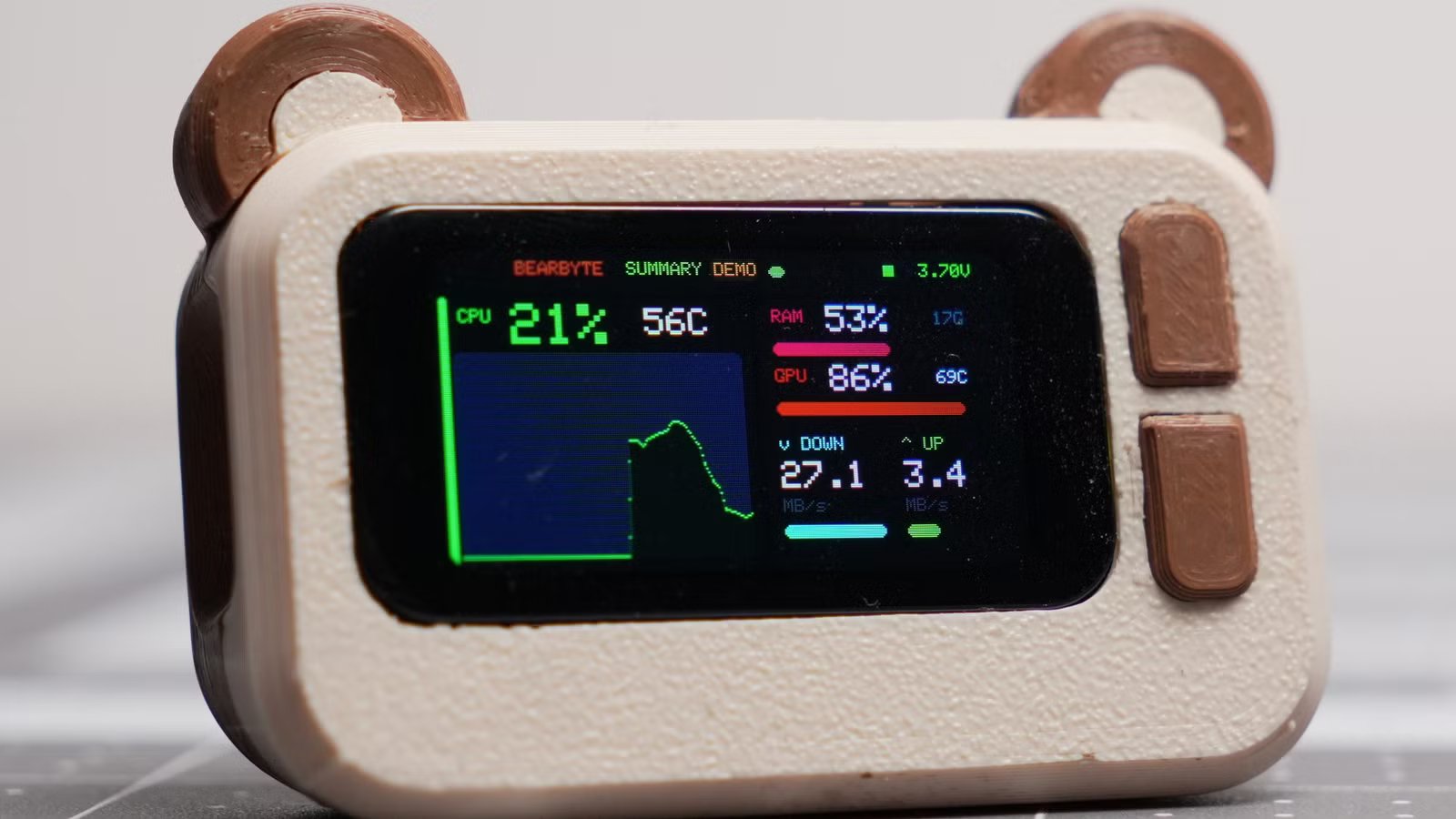
Bear Byte is a nice 3D printed ESP32-S3 that displays your PC’s stats so you don’t have to keep the task manager open.
-
A wire-free Bluetooth connection streams CPU, GPU, RAM, buffer temperatures, and network statistics in real time across four pages.
-
Complete DIY: Instructables guide, BOM and 3D files allow you to print and build your own awesome display.
Perhaps the most annoying part about using the Task Manager is that it takes a long time to load when you need it most. So, what if you had a standalone tracker that would save you from keeping the task manager on your screen? What if he’s really cute too? Well, that’s exactly what this delightful ESP32-S3 project aims to do, and I think it does a fantastic job.
Bear Byte is the best way to check what’s destroying your CPU
You can build your own at home too
on ESP32 subuser Choice_Border_8904 showed the Bear Byte device. It’s very simple at its base: it uses a 1.47-inch IPS touch display module with XIAO ESP32-S3 Plus from Seeed Studio. However, there are two things that really make this special. Firstly, it does not require a wire to connect to your computer:
Bear Byte connects to my computer via Bluetooth and uses a dedicated Windows application to display CPU, GPU, and RAM usage, temperatures, and upload and download speeds on the network in real time. It features four different pages you can switch between, including a system summary, detailed hardware usage, a dedicated network screen with a live graph, and CPU and GPU temperature graphs.
Secondly…well, look at him. It’s the cutest little device I’ve seen all month. And because everything is 3D printed, you can run your own printer at home and make it yourself. Maybe even for something that’s not a computer screen at all; I certainly wouldn’t blame you for finding more ways to put this cute peel to good use.
If you want to make your own (and I certainly don’t blame you), be sure to head over to Project instructions page Get the guide, materials list, and 3D files you need to create the most amazing display ever.